TXIPTV for Linux
A cross-platform IPTV player packaged for every major Linux distribution. Load M3U/M3U8 playlists, sign in to Xtream Codes providers or Stalker portals, and watch live TV, movies and series with a full program guide. Pick the AppImage for a no-install start or a native package for your distribution.
Version 1.0.0 · All downloads
- x86_64 · arm64 · armv7l
- AppImage · deb · rpm · pacman
- Flatpak & Snap
- Fast setup
Every format, one release
All files below are built from the same commit and published together on GitHub. Choose the one your distribution prefers.
AppImage
Any distribution · x86_64
No installation, works on any current distribution. Receives in-app update notifications.
Downloadchmod +x txiptv-*.AppImage && ./txiptv-*.AppImageDebian / Ubuntu
.deb · amd64
Ubuntu 24.04+, Debian 12+ and derivatives. Depends on libmpv2 for the embedded MPV engine; on Ubuntu 22.04 use the AppImage.
Downloadsudo apt install ./txiptv-*-linux-amd64.debFedora / openSUSE
.rpm · x86_64
Fedora, openSUSE, RHEL-family distributions.
Downloadsudo dnf install ./txiptv-*-linux-x86_64.rpmArch / Manjaro
.pacman · x64
Arch Linux, Manjaro and other pacman-based systems. The AUR package txiptv-bin is an alternative.
Downloadsudo pacman -U ./txiptv-*-linux-x64.pacmanFlatpak bundle
.flatpak · x86_64
Sideloadable bundle. Needs the Flathub remote for the org.freedesktop.Platform 24.08 runtime. Embedded MPV is not available inside the sandbox.
Downloadflatpak install --user ./txiptv-*-linux-x86_64.flatpakSnap
.snap · amd64
Prefer the Snap Store listing; the file is provided for offline installs. Embedded MPV is not available inside the sandbox.
Downloadsudo snap install txiptv
AppImage
arm64 (aarch64)
Raspberry Pi 4/5 and other 64-bit ARM boards running a desktop.
Downloadchmod +x txiptv-*.AppImage && ./txiptv-*.AppImageDebian / Ubuntu
.deb · arm64
Debian and Ubuntu on 64-bit ARM.
Downloadsudo apt install ./txiptv-*-linux-arm64.debAppImage
armv7l (32-bit ARM)
32-bit ARM desktops.
Downloadchmod +x txiptv-*.AppImage && ./txiptv-*.AppImageDebian / Ubuntu
.deb · armv7l
Debian and Ubuntu on 32-bit ARM.
Downloadsudo apt install ./txiptv-*-linux-armv7l.debSnap
.snap · armhf
Snap Store build for 32-bit ARM.
Downloadsudo snap install txiptv
AppImage in three steps
The fastest way to try TXIPTV on any distribution. Native packages install with the commands listed above.
Run the AppImage
- 1
Download the x86_64 AppImage with the button above.
- 2
Make it executable: right-click › Properties › "Allow executing file as program", or run chmod +x on the file.
- 3
Double-click the AppImage or start it from a terminal. Nothing is installed system-wide; delete the file to remove the app.
- 4
Add your first source: an M3U/M3U8 file or URL, an Xtream Codes login, or a Stalker portal.
sudo snap install txiptvyay -S txiptv-binsudo eselect repository enable gentoo-zh
sudo emerge --sync gentoo-zh
sudo emerge txiptv-binLinux specifics
Wayland desktops
Launchers start TXIPTV with --ozone-platform=x11, so Wayland sessions need Xwayland, which GNOME and KDE ship by default. If the app exits with Ozone or Wayland errors, start it with txiptv --ozone-platform=x11.
Embedded MPV engine
The experimental engine drives your distribution's mpv binary inside the app window on x86_64 under X11 or Xwayland. Install mpv first (for example sudo apt install mpv) and opt in under Settings › Playback. The Flatpak and Snap sandboxes do not expose the host mpv, so the engine stays unavailable there.
chrome-sandbox error on some .deb / .rpm systems
If the app aborts with "The SUID sandbox helper binary was found, but is not configured correctly", run sudo chown root:root chrome-sandbox and sudo chmod 4755 chrome-sandbox in the installation directory once, or start the app with --no-sandbox.
Ubuntu 22.04 and older Debian
The x86_64 .deb depends on libmpv2, which Ubuntu 22.04 does not ship. Use the AppImage there; it bundles everything it needs.
What you get on your desktop
The complete desktop feature set. Everything below works in the native Linux packages.
M3U, Xtream Codes and Stalker
Import M3U/M3U8 playlists from a file or URL, or sign in to Xtream Codes and Stalker/Ministra portals. Live TV, movies and series land in one library with favorites, history and search.
Program guide (EPG)
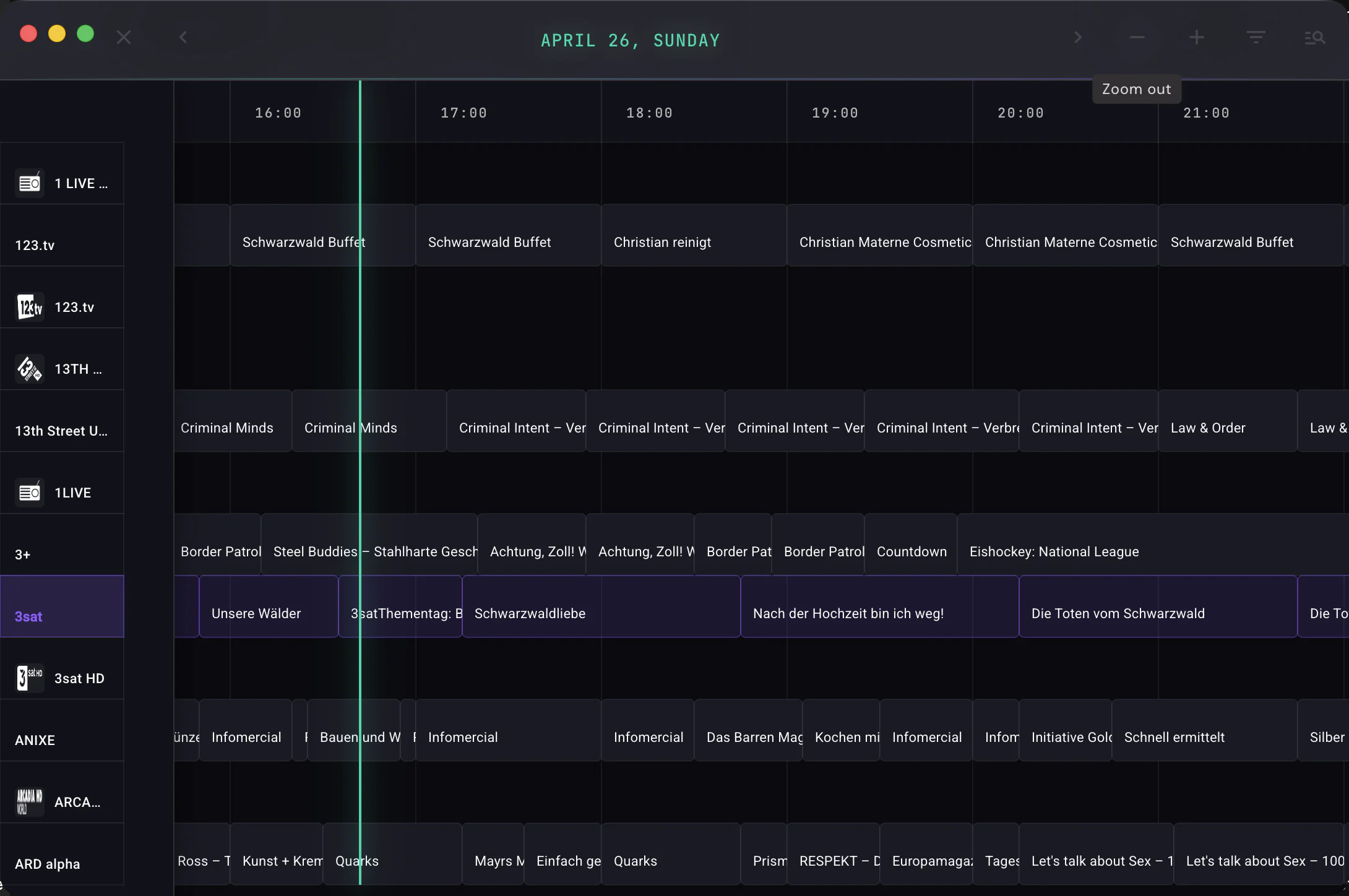
Attach an XMLTV guide to see what is on now and next, browse the multi-channel timeline under the player, and jump into catch-up where your provider offers it.
MPV and VLC integration
Hand streams that the built-in players cannot decode to the mpv or vlc binary from your distribution. Playback positions and the remote control stay inside TXIPTV.
Embedded MPV engine (experimental)
Drives the system mpv inside the TXIPTV window on x86_64 desktops under X11 or Xwayland. Requires mpv on PATH; not available in the Flatpak and Snap sandboxes.
Offline downloads
Save movies and episodes from Xtream and Stalker sources to disk. The download manager resumes interrupted transfers and keeps a local library.
Movie and series metadata
Optional TMDB enrichment adds posters, plots, cast, ratings and trailers to movie and series details. Off by default, one switch in Settings.
Remote control from your phone
Open the built-in remote-control web app on your phone to switch channels, adjust volume and control playback from the couch.
Hosted browser version
Open the hosted web app at /app from any browser, including devices that cannot run the desktop app.
No account, no tracking
There is nothing to sign up for. Playlists and credentials stay in a local database under your home directory, and the app sends no analytics.
What you need
- Distributions
- Any current x86_64 distribution via AppImage; native packages for Debian/Ubuntu, Fedora/openSUSE and Arch/Manjaro; Flatpak and Snap.
- Architectures
- x86_64, arm64 and armv7l (AppImage and .deb); armhf and amd64 (Snap).
- Display server
- X11, or Wayland with Xwayland. Launchers start the app with --ozone-platform=x11.
- .deb dependencies (x86_64)
- libmpv2, libegl1, libgl1, libgbm1. Available on Ubuntu 24.04+ and Debian 12+.
- Account
- None. TXIPTV never asks you to register.
- Content
- Bring your own playlist or provider login. TXIPTV ships without channels.
Questions about TXIPTV on Linux
Which Linux package should I choose?+
Take the AppImage if you want a single file that runs on any distribution without installation and can notify you about updates. Take the .deb, .rpm or pacman package if you want the app in your application menu and managed by your package manager. Flatpak and Snap isolate the app in a sandbox, which also means the embedded MPV engine is unavailable there.
Is TXIPTV on Flathub?+
Not yet. A Flatpak bundle is attached to every release and installs with "flatpak install --user" as long as the Flathub remote is configured, because the bundle needs the org.freedesktop.Platform 24.08 runtime. The Snap Store listing is official and maintained by the project.
The app exits with a chrome-sandbox error. What now?+
Some .deb and .rpm installations need the sandbox helper fixed once: run "sudo chown root:root chrome-sandbox" and "sudo chmod 4755 chrome-sandbox" inside the installation directory. As a fallback, start the app with the --no-sandbox flag.
Does it work on Wayland?+
Yes, through Xwayland. Every launcher starts TXIPTV with --ozone-platform=x11, and GNOME and KDE ship Xwayland by default. If the app exits with Ozone or Wayland errors, start it manually with "txiptv --ozone-platform=x11".
Does TXIPTV run on a Raspberry Pi or other ARM boards?+
Yes. arm64 and armv7l AppImage and .deb builds are attached to every release, and the Snap Store carries an armhf build. The web players and external MPV/VLC work there; the embedded MPV engine is x86_64 only.
Can I use TXIPTV in a browser instead of installing it?+
Yes. The hosted web app at /app runs in any browser and needs no installation. It does not include the desktop-only features such as external players, embedded MPV and the download manager.
Does TXIPTV come with channels or playlists?+
No. TXIPTV is a player. You add your own M3U/M3U8 playlist, Xtream Codes login or Stalker portal from your provider. Any website selling "TXIPTV subscriptions" or channel packages is unrelated to this project.
Guides and background
Official downloads only
TXIPTV is a player, not a TV service. It is distributed exclusively through this website and the package managers listed on this page. Websites that sell "TXIPTV subscriptions", channel packages or "activated" copies are not affiliated with us.