An M3U player that keeps up
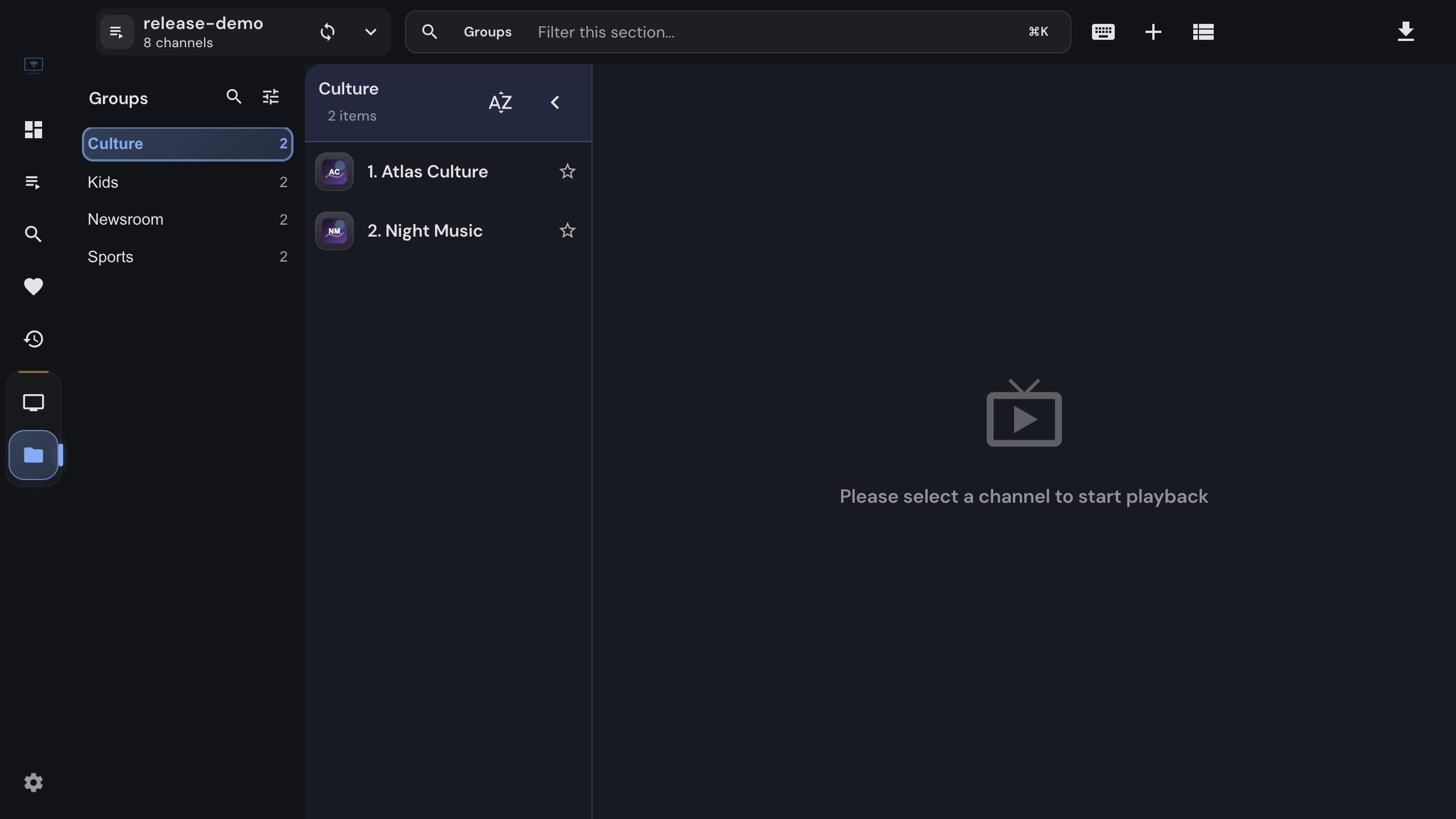
Load an M3U or M3U8 playlist from a link, a file or pasted text and get a full TV app in your browser or on Android TV: grouped channels, favorites, instant search, a program guide with catch-up, and smooth playback of the streams you already have.
- M3U & M3U8
- URL, file or text
- Tens of thousands of channels
- XMLTV EPG
Built for big playlists
Provider playlists are long. The list, the groups and the search are designed around that.
Lists that stay fast
The channel list is virtualized, so a playlist with tens of thousands of entries scrolls and searches without lag. Search filters as you type.
Groups from the playlist
Every group-title becomes an expandable section. Hide the groups you never watch; the hidden set survives refreshes.
Favorites and history
Star channels into a favorites list you can reorder by drag and drop, and jump back to what you watched last from Recent.
Refresh on request
Refresh a playlist whenever you want from the playlist details. Favorites, hidden groups and settings are kept.
Import any way you like
Paste a link, pick a file, or paste the raw text.
Global favorites and search
With several playlists, the dashboard combines favorites, recent items and search across all of them.
Everything the playlist declares
TXIPTV reads the extended M3U attributes providers use, so logos, guide ids, catch-up windows and radio flags all mean something.
- Logos and names
- tvg-logo, tvg-name and the display name are used for the list; XMLTV icons fill in missing logos.
- Program guide
- tvg-id links a channel to the guide. url-tvg or x-tvg-url in the header imports the EPG source automatically.
- Catch-up
- catchup, catchup-source and catchup-days, or the older tvg-rec and timeshift, make archived programs playable from the timeline.
- Radio
- Entries with radio="true" open in a dedicated audio layout with artwork, transport controls and volume.
- DASH with ClearKey
- #KODIPROP lines with inputstream.adaptive keys play in the built-in player through Shaka.
- Movie files
- Entries that look like a movie file open in a movie detail view with TMDB metadata when enrichment is enabled.
Engines for every stream
HLS, MPEG-TS and DASH streams play in the built-in engines.
Three built-in engines
HTML5 with hls.js, Video.js and ArtPlayer cover HLS, MPEG-TS and DASH streams with one shared set of controls, subtitles, quality selection and picture-in-picture.
Catch-up playback
Where the playlist declares an archive, past programs start straight from the timeline.
Radio in its own layout
Radio entries open in a dedicated audio layout with artwork, transport controls and volume.
Custom User-Agent
Providers that only answer known player signatures get the User-Agent you set in the playlist details, for both playlist refresh and playback.
Questions about M3U playlists
Does TXIPTV play both M3U and M3U8 playlists?+
Yes. Both extensions are the same text format; M3U8 only marks the file as UTF-8. Playlists can come from a link, a local file or pasted text, and the same attributes are read from all of them.
How many channels can a playlist have?+
The list is built for very large playlists and stays responsive with tens of thousands of channels. Groups, favorites and search all work on the full list, not on a page of it.
Does the playlist update when my provider changes it?+
Refresh it on request from the playlist details. Your favorites, hidden groups and settings are kept across refreshes.
Can I get a program guide for an M3U playlist?+
Yes. Add an XMLTV source in Settings › EPG, or let the playlist declare it through url-tvg in its header. Channels are matched by tvg-id, and you can map the rest by hand.
What if a channel does not play?+
Check that the stream is online and that the provider allows your connection. Providers that require a specific User-Agent get it from the playlist details.
Does TXIPTV provide playlists?+
No. TXIPTV is a player. You bring the playlist you already have from your provider, and nothing in it is sent anywhere except to the stream hosts it points at.
Guides and background
Official downloads only
TXIPTV is a player, not a TV service. It is distributed only through the web app and the apps on this site, and Google Play. Websites that sell "TXIPTV subscriptions", channel packages or "activated" copies are not affiliated with us.